
Introduction
HCM Groups in Oracle Fusion HCM are configurable groups used to identify a defined population of workers, people, or assignments for a specific business purpose. They help functional and technical teams apply logic consistently across Oracle Fusion HCM processes without repeatedly rebuilding the same population criteria.
For Oracle Fusion HCM teams, HCM Groups matter because they can reduce manual effort, improve consistency, and make employee population logic easier to manage. They are especially useful when the same group of employees needs to be referenced across configuration, reporting, integrations, or operational processes.
Quick definition: An HCM Group in Oracle Fusion is a reusable grouping of people or workers, typically created through configuration rules or manual membership, and used to support HCM processing, reporting, eligibility, or downstream business logic.
What are HCM Groups in Oracle Fusion HCM?
An HCM Group is a named group that represents a set of people or workers in Oracle Fusion HCM. The group can be created for a business process, reporting requirement, eligibility scenario, integration filter, or administrative purpose.
Depending on how the group is configured and used in your environment, membership may be based on:
- Manual inclusion of specific people
- Criteria-based inclusion using worker or assignment attributes
- Exclusions for specific employees
- Effective-dated conditions
- A combination of manually selected members and rule-based logic
Common attributes used to define HCM Groups include:
| Attribute type | Example grouping logic |
| Legal employer | Employees in “Vision Operations” |
| Business unit | Workers assigned to a specific business unit |
| Department | Employees in Finance, HR, or Technology |
| Location | Workers based in London, Dubai, New York, or Singapore |
| Job | Employees assigned to a particular job |
| Grade | Employees in selected grades |
| Assignment status | Active employees only |
| Worker type | Employees, contingent workers, or both |
| Person or assignment | Specific people or assignments selected manually |
The exact configuration options available can depend on the Oracle Fusion HCM modules enabled, security roles assigned to the user, and quarterly update level of the environment.
Where are HCM Groups used in Oracle Fusion HCM?
HCM Groups are commonly used wherever Oracle Fusion HCM needs a reusable population of workers or people. Usage varies by implementation, but typical areas include:
1. Eligibility and workforce population logic
HCM Groups may support population selection for processes that need to include or exclude specific workers. For example:
- Include only employees in a particular legal employer
- Exclude employees from a pilot group
- Target employees in selected departments or locations
- Define a population for a specific HR process
2. Reporting and analytics
Reporting teams may use HCM Groups to filter data for dashboards, BI Publisher reports, OTBI analyses, or reconciliation reports.
Examples:
- Headcount report for a specific operating group
- Audit report for employees in a configured population
- Exception report for employees missing data within a target group
3. HCM Extracts and integrations
Technical teams may use HCM Group membership logic to control which employees flow to downstream systems.
Examples:
- Include employees in a pilot deployment for a third-party benefits platform
- Filter outbound employee data by business unit or legal employer
- Send only employees in selected countries to a local payroll provider
4. Fast formulas and derived logic
Where supported by the relevant process, HCM Group membership can be referenced directly or indirectly in logic. In many implementations, fast formulas or formula-driven processes use group-related data through lookups, database items, value sets, user-defined tables, or extracted membership.
Because formula capabilities vary by formula type and module, always validate whether direct HCM Group access is supported for your specific formula context.
5. Security and administrative processes
HCM Groups are sometimes confused with security roles or areas of responsibility. They may support administrative processes, but they are not the same as role-based security configuration.
Use HCM Groups for population logic. Use security profiles, data roles, roles, and areas of responsibility for security access and responsibility assignment.
HCM Groups configuration in Oracle Fusion
Navigation path
The navigation path can vary based on role, module, and environment. A common starting point is:
Setup and Maintenance > Search for “Manage HCM Groups”
In some environments, the task may be available under an HCM setup area such as:
Setup and Maintenance > Time and Labor > HCM groups
If you cannot find the task:
- Confirm that your role includes the required HCM setup access.
- Search directly for Manage HCM Groups in Setup and Maintenance.
- Check whether the feature is enabled or used in your implementation.
- Ask your security administrator to confirm access to the relevant setup task.
How to configure HCM Groups in Oracle Fusion
The exact page layout may vary by release and enabled modules, but the configuration process generally follows this pattern.
Step 1: Create the HCM Group
Open Manage HCM Groups and create a new group.
Typical fields may include:
| Field | Purpose |
| Name | Business-friendly group name |
| Code | Unique identifier used for reporting, integrations, or configuration references |
| Description | Explains the purpose and intended use of the group |
| Start Date | Date from which the group is valid |
| End Date | Optional end date if the group is temporary |
| Status | Indicates whether the group is active or inactive |
| Type or Usage | Defines how the group may be used, where applicable |
Use a clear naming convention. For example:
- HCM_GRP_UK_ACTIVE_EMPLOYEES
- HCM_GRP_FINANCE_LONDON
- HCM_GRP_PILOT_BENEFITS_2026
- HCM_GRP_US_HOURLY_WORKERS
Step 2: Define inclusion criteria
Inclusion criteria determine who belongs to the group.
Examples:
| Business requirement | Possible inclusion criteria |
| Active employees in the UK | Worker type = Employee, assignment status = Active, country = UK |
| Finance employees in London | Department = Finance, location = London |
| Employees in a legal employer | Legal employer = selected legal entity |
| Workers in selected grades | Grade in selected grade list |
| Pilot population | Specific people manually added |
Step 3: Define exclusion criteria, if needed
Exclusions are useful when the main criteria are broad but a few people or populations should not be included.
Examples:
- Exclude terminated workers
- Exclude contingent workers
- Exclude employees in a specific department
- Exclude named individuals from a pilot group
- Exclude workers in specific locations
Keep exclusions as simple as possible. Complex inclusion and exclusion logic can make troubleshooting harder.
Step 4: Add manual members, if supported
Some HCM Group configurations allow manual member selection. This is useful for:
- Pilot groups
- Temporary project groups
- Exception populations
- Small controlled groups
Manual membership should be governed carefully because it can become outdated if employees transfer, terminate, or change assignment attributes.
Step 5: Evaluate or refresh group membership
Depending on the configuration and process, HCM Group membership may need to be evaluated, refreshed, or picked up by a scheduled process.
If a user says, “The employee meets the criteria but is not in the group,” check whether:
- The group membership evaluation process has run.
- The employee’s assignment is effective as of the evaluation date.
- The criteria are based on person-level or assignment-level attributes.
- The employee has multiple assignments.
- Exclusion criteria are removing the employee.
- The group is active as of the relevant date.
Step 6: Validate membership
Before using an HCM Group in a process or extract, validate a sample of employees.
Recommended validation checks:
- Employees who should be included are present.
- Employees who should be excluded are not present.
- Future-dated hires are handled correctly.
- Terminated employees are handled correctly.
- Employees with multiple assignments are handled correctly.
- The group returns the expected population as of the correct effective date.
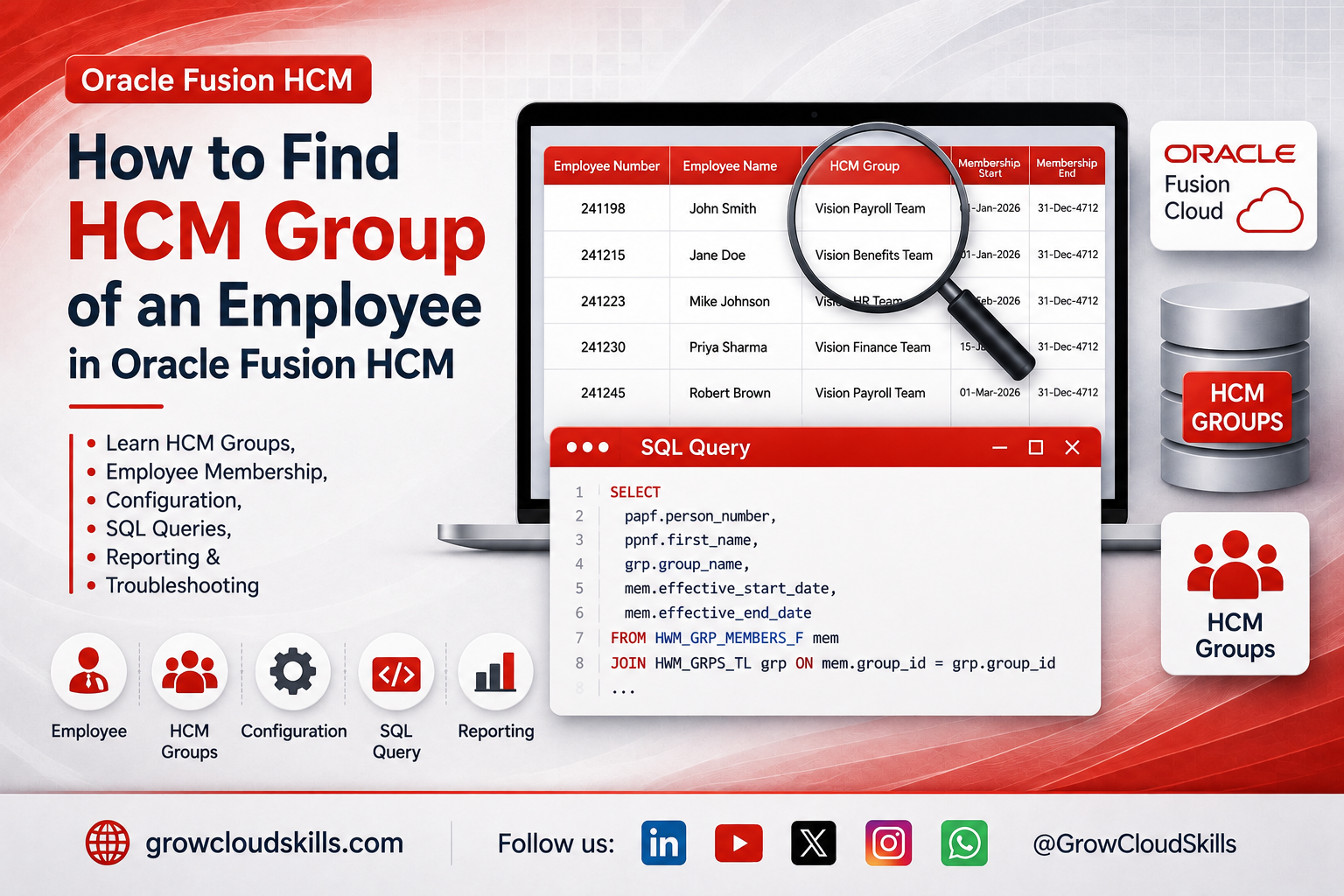
Sample SQL queries to find the HCM Group of an employee
Query 1: Find all HCM Groups for an employee by person number
SELECT PAPF.PERSON_NUMBER EMPLOYEE_NUMBER ,PPNF.LAST_NAME ,PPNF.FIRST_NAME ,GRP.GROUP_NAME HCM_GROUP_NAME ,MEM.EFFECTIVE_START_DATE MEMBERSHIP_START_DATE ,MEM.EFFECTIVE_END_DATE MEMBERSHIP_END_DATEFROM HWM_GRP_MEMBERS_F MEM ,HWM_GRPS_TL GRP ,PER_ALL_PEOPLE_F PAPF ,PER_PERSON_NAMES_F PPNFWHERE 1=1 AND GRP.GRP_ID = MEM.GRP_ID AND GRP.LANGUAGE = USERENV('LANG') AND PAPF.PERSON_ID = MEM.MEMBER_ID AND PAPF.PERSON_ID = PPNF.PERSON_ID AND PPNF.NAME_TYPE = 'GLOBAL' AND SYSDATE BETWEEN MEM.EFFECTIVE_START_DATE AND MEM.EFFECTIVE_END_DATE AND SYSDATE BETWEEN PPNF.EFFECTIVE_START_DATE AND PPNF.EFFECTIVE_END_DATE AND SYSDATE BETWEEN PAPF.EFFECTIVE_START_DATE AND PAPF.EFFECTIVE_END_DATE AND PAPF.PERSON_NUMBER = '1234' /*Replace your person Number Here*/ORDER BY PAPF.PERSON_NUMBER
Query 2: Find employees in a specific HCM Group
SELECT PAPF.PERSON_NUMBER EMPLOYEE_NUMBER ,PPNF.LAST_NAME ,PPNF.FIRST_NAME ,GRP.GROUP_NAME HCM_GROUP_NAME ,MEM.EFFECTIVE_START_DATE MEMBERSHIP_START_DATE ,MEM.EFFECTIVE_END_DATE MEMBERSHIP_END_DATEFROM HWM_GRP_MEMBERS_F MEM ,HWM_GRPS_TL GRP ,PER_ALL_PEOPLE_F PAPF ,PER_PERSON_NAMES_F PPNFWHERE 1=1 AND GRP.GRP_ID = MEM.GRP_ID AND GRP.LANGUAGE = USERENV('LANG') AND PAPF.PERSON_ID = MEM.MEMBER_ID AND PAPF.PERSON_ID = PPNF.PERSON_ID AND PPNF.NAME_TYPE = 'GLOBAL' AND SYSDATE BETWEEN MEM.EFFECTIVE_START_DATE AND MEM.EFFECTIVE_END_DATE AND SYSDATE BETWEEN PPNF.EFFECTIVE_START_DATE AND PPNF.EFFECTIVE_END_DATE AND SYSDATE BETWEEN PAPF.EFFECTIVE_START_DATE AND PAPF.EFFECTIVE_END_DATE AND GRP.GROUP_NAME = 'HCM_GRP_GCS_CORPORATION' /*Replace your HCM Group Name Here*/ORDER BY GRP.GROUP_NAME,PAPF.PERSON_NUMBER
Query 3: All Employees along with assigned HCM Groups
SELECT PAPF.PERSON_NUMBER EMPLOYEE_NUMBER ,PPNF.LAST_NAME ,PPNF.FIRST_NAME ,GRP.GROUP_NAME HCM_GROUP_NAME ,MEM.EFFECTIVE_START_DATE MEMBERSHIP_START_DATE ,MEM.EFFECTIVE_END_DATE MEMBERSHIP_END_DATEFROM HWM_GRP_MEMBERS_F MEM ,HWM_GRPS_TL GRP ,PER_ALL_PEOPLE_F PAPF ,PER_PERSON_NAMES_F PPNFWHERE 1=1 AND GRP.GRP_ID = MEM.GRP_ID AND GRP.LANGUAGE = USERENV('LANG') AND PAPF.PERSON_ID = MEM.MEMBER_ID AND PAPF.PERSON_ID = PPNF.PERSON_ID AND PPNF.NAME_TYPE = 'GLOBAL' AND SYSDATE BETWEEN MEM.EFFECTIVE_START_DATE AND MEM.EFFECTIVE_END_DATE AND SYSDATE BETWEEN PPNF.EFFECTIVE_START_DATE AND PPNF.EFFECTIVE_END_DATE AND SYSDATE BETWEEN PAPF.EFFECTIVE_START_DATE AND PAPF.EFFECTIVE_END_DATEORDER BY GRP.GROUP_NAME,PAPF.PERSON_NUMBER
FAQ
1. What is an HCM Group in Oracle Fusion HCM?
An HCM Group is a reusable group of people, workers, or assignments used to define an employee population for configuration, reporting, extracts, eligibility, or downstream processing.
2. Where do I configure HCM Groups in Oracle Fusion?
A common navigation path is Setup and Maintenance > Search for “Manage HCM Groups.” In some environments, the task may be available under Workforce Structures or another HCM setup area. Access depends on your security roles and enabled features.
3. How do I find the HCM Group of an employee?
You can find an employee’s HCM Group by reviewing the group membership in the Manage HCM Groups page, using approved reporting tools, or running a SQL query against the relevant person, assignment, group header, and group membership objects.
4. Can I use SQL to find an employee’s HCM Group?
Yes, if your role and reporting access permit it. A typical HCM Group query joins person data, person names, group membership, and group header or translation objects. Validate the exact table or view names in your Oracle Fusion environment before using any query.
5. Why is an employee missing from an HCM Group?
Common reasons include incorrect effective date, assignment mismatch, inactive assignment, exclusion criteria, manual membership not maintained, group membership not refreshed, or multiple assignments not handled correctly.
6. Are HCM Groups the same as security roles?
No. HCM Groups define employee populations. Security roles, data roles, and security profiles control access. An HCM Group by itself should not be treated as a security role.
7. Are HCM Groups the same as eligibility profiles?
No. Eligibility profiles define eligibility rules for specific HCM processes. HCM Groups define reusable worker populations. In some designs, both may be used together, but they serve different purposes.
8. Should I use manual or criteria-based HCM Groups?
Use criteria-based groups for large or changing populations. Use manual groups for small, temporary, or exception-based populations. Manual groups require stronger governance because they can become outdated.
9. Why does my HCM Group query return duplicate employees?
Duplicates usually come from multiple assignments, multiple effective-dated rows, multiple name records, or missing effective-date filters. Add effective-date conditions and confirm whether the group is person-level or assignment-level.
10. Can HCM Groups be used in HCM Extracts?
They can be used in some extract designs to define or filter the employee population, depending on how the extract is configured. Validate the extract type, record criteria, and available database items or parameters in your environment.
Key takeaways
- Oracle Fusion HCM Groups define reusable employee populations for configuration, reporting, extracts, eligibility, and downstream processes.
- Configuration usually starts from Manage HCM Groups in Setup and Maintenance, subject to role access and enabled features.
- Effective dates matter. Always validate membership as of a specific date.
- Person-level and assignment-level logic are different. Multiple assignments can change the result.
- SQL queries should be treated as environment-specific patterns. Validate table and view names before using them.
- HCM Groups are not security roles. Use security profiles, data roles, and roles for access control.
- Governance is important. Document ownership, purpose, usage, and review frequency for each group.
About GrowCloudSkills
GrowCloudSkills helps professionals master Oracle Fusion Cloud through practical tutorials, interview preparation, SQL queries, reporting guides, and real-time project scenarios.

Leave a Reply